
Levels
Awaysis has a campaign mode with 25 unique levels. There are also the additional 'Arena' and 'Court' party game modes with their own maps.
I was in charge of creating the majority of these maps, this included being proactive about multidisciplinary communication, working with Art and Engineering leads as well as our external contractors to help deliver their content on time and to spec.
This page gives a high-level overview. For more detailed instructions please read the level bible below.
Campaign
Awaysis features linear levels, comprised of rooms. A standard level features around 15 rooms with about 20 minutes of play time. I was in charge of creating the pipeline for making these campaign missions, and then delivering the content. Each Room is built of individual building blocks as can be seen in the orange box view above.
The approach for Awaysis was to build a library of rooms from which we could then quickly assemble levels to meet our fast-paced schedule demands.
A large part of the room system was modularity. Having different visuals for the blocksets meant that we could reuse rooms efficiently.
If a room tested well we could remix it by changing up certain sections and giving it a new look in a later level.
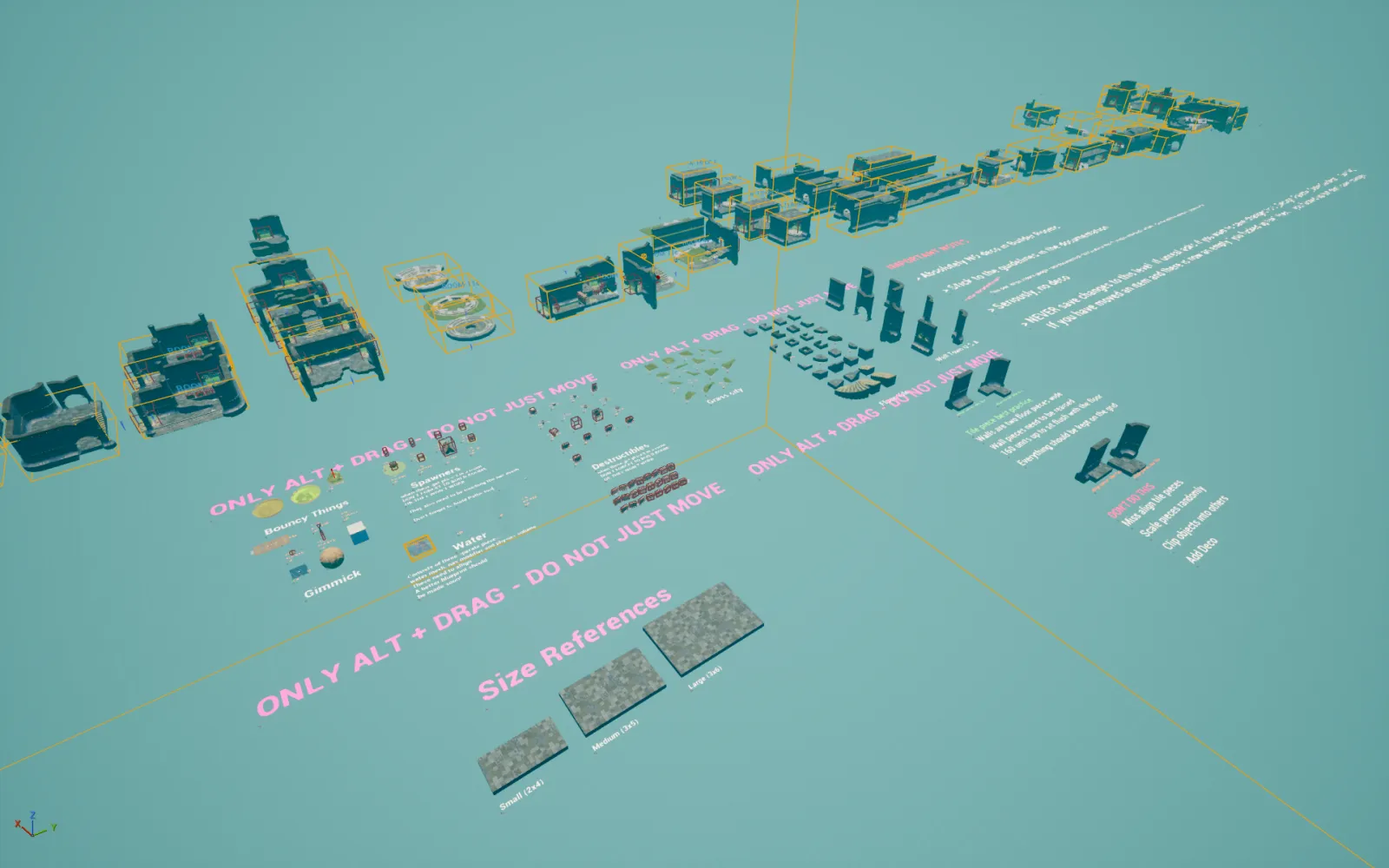
Here is a behind the scenes look at a 'builder level' where our working palette was layed out physically and we could independently build, spin-off and test rooms.
Arena
These are fun bite-sized combat arenas for our player on player multiplayer mode.
The key to building these maps was instantly testing and iterating, regular play parties allowed us to develop PVP focused maps on the fly.
Court
Courts were made for our football inspired team PVP mode.
A key focus of the team mode was making the maps be equally fair and equally readable for both sides.
Pipeline
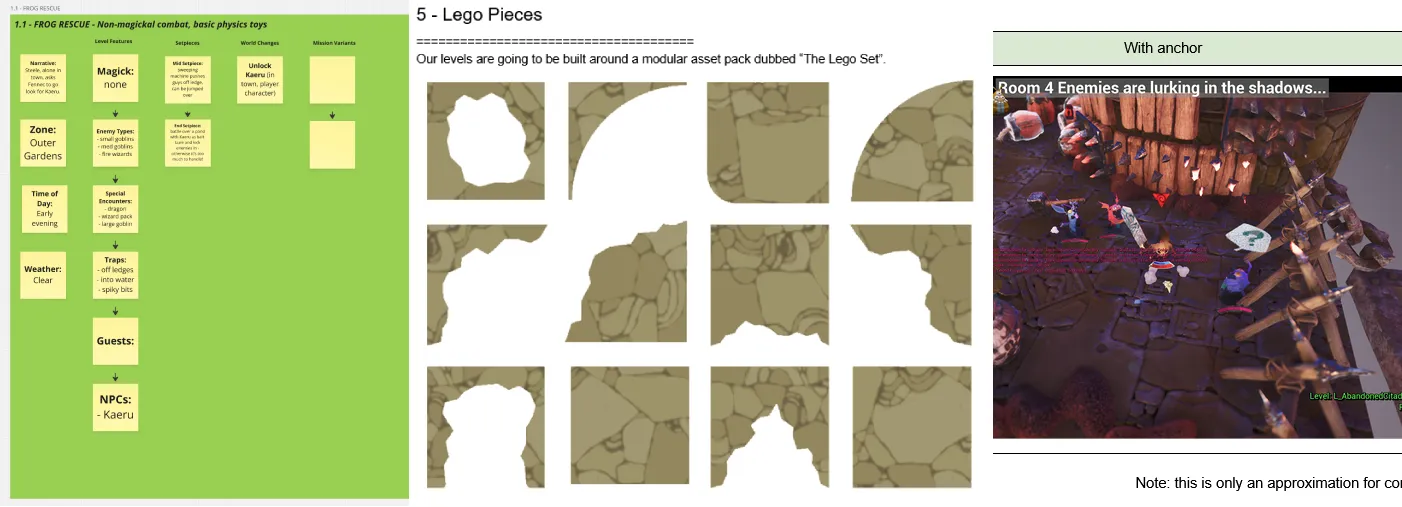
Having joined Awaysis as the only full time level designer, I was responsible for creating the level pipeline, tools and documentation as well as helping bring in and collaborate with external contractors to deliver our project on time.
Docs
With a project this large it was vital that every step of the level building process was thought out and documented.
For an example of my documentation, please check out excerpts of the documentation I wrote and maintained below.
Tools
To aid in the development of Awaysis I was responsible for creating tools that level designers, artists and engineers could use.
Here are a few examples of tools created in Blutility.
Vignette System
A rapid development tool I am proud of is the vignette system. Hand placing each asset in a level is both time intensive and can limit replayability with stale environments.
To this end I created a system where instead of hand placing props we placed spawn containers called vignettes. These vignettes could be categorized by type, size and shape. We would then create corresponding Components, a group of props that would fit the type and be placed within the size and shape limits. The vignette would then choose a random available component at runtime.
This meant we could start by placing vignettes only at first, and then developing more components further down the line when polish allowed. A single new component would bring variety to every level in the game. Components can also be added according to game progression, seasonal events, DLC etc. making the levels always fresh and expandable.
Spline Camera
Working closely with our lead engineer, we developed a spline camera system that could function for our 4 player online game. Using a camera track spline and a player track spline we could design complicated, cinematic shots.
E-Z Folder
As per the level bible, outliner foldering was a key element to making our levels. To aid in development I made a custom tool that could automatically clean any level to meet our requirements.
Although I authored the tools myself, clean blueprinting and readability was always a key focus.
Angle Tool
When making a slide based game, the angle of the ground slope was an important metric for us. A tool to quickly measure such metrics was just one of the many tricks in my bag.
Understanding the angle of any slope in a room had lots of benefits for development. Primarily it meant that when creating a slope or ramp for the player to slide on, we could tune and predict outcomes. Given that both slide velocity, as well as center of gravity and lift-off were all determined by the severity of the ramp or slide we could understand and control when what would happen.
If you intended to make a ramp at the end of a slide, depending on the angle you could make the player gently slide up, and then fall back in, or increase the angle to shoot the player up and pop them out.
Also for our AI nav agenst, too deep of slopes or slides in rooms could break traversal, so knowing how far we could take it at a glance was a useful asset.